VitualBox Host Only Adapter & NAT configuration.
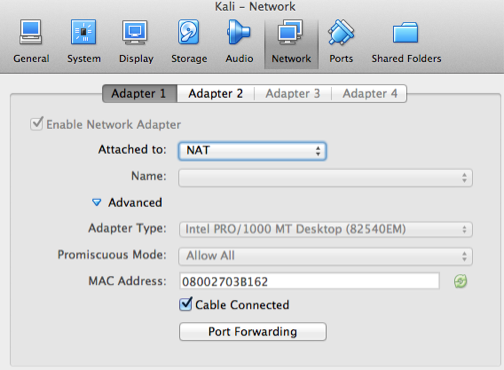
Oracle Virtualbox is great virtualisation solution for developers. The best feature of VirtualBox is, "it's free" and its runs on Linux, Mac & Windows. Many time when people want to set up Virtualbox they have two common requirements. 1. To connect to internet from guest i.e. the virtual machine. 2. To be able to connect to virtual machine from host computer. Now let's talk on solution. Requirement '1' can be met with configuration of 'NAT', like in screenshot below. This will enable the virtual machine to connect to internet. Now we want to enable LAN sort of connectivity between host and guest machines. For this we have to follow following steps. 1. Create a host only adapter by going to Virtualbox > Preferences 2. Add a host only adapter as shown. 3. Setup up DHCP if you want. I personally don't like DHCP, so my example will have manual setup in it. If you are following this example, be sure to uncheck DHCP confi...